In my book, it’s way better to install one Vim extension in whatever your favorite IDE is, than to install Vim with a hodge podge of 5 extensions and 300 lines of Vimscript. The keybindings are really the unique selling point of Vim, and you can get them anywhere.
I actually view this as another advantage of Vim; you don’t have to learn new keybindings every time you switch editors.
Qutebrowser is worth a mention too. Google has sufficiently neutered extensions that I fell out of the flow pretty often with Vimium (e.g., can't work on any of the built-in pages or some other Google properties), but having chrome exist at a much lower level and building the UI around vim bindings has made it a 10x better experience for me in Qutebrowser.
> The keybindings are really the unique selling point of Vim, and you can get them anywhere.
This is going to vary heavily from user to user. I'll admit it's been some years since I last tried anything new, but I never found Vim keybindings that were complete and configurable enough to comfortably replace Vim. It's always more like a UI uncanny valley in that the keybindings are relatively close, but imperfect enough that they interfere with my typical workflow.
Definitely agree. I've been trying to go full-Vim a few times over the years, and it's not been very successful. I'm a huge fan of Vim keybindings though, and wouldn't use an editor/IDE without support for it.
I would say that going 100% Vim is reasonable if you have a very stable development stack/environment. You spend a few weeks (or months, which is more realistic IMO) setting things the way you like and then use the setup for years.
If you work in several different languages, connect to several different databases, and also like to play with other tech stuff, VS code (and/or JetBrains products) with Vim bindings is usually more ergonomic.
Both VS code and JB have very nice Vim plugins, so you get like 80% of Vim power + a lot of polish and modern tooling from VS code/JB.
I've started full-vim and eventually settled for exactly that. It's been a success. Recently had to work from Windows after years on Mac, also using VSCode after years of Intellij and it wasn't a big deal because the Vim experience was mostly on par between Intellij and VSCode. I still prefer Intellij, but the remote coding (over SSH) experience on VSCode is just so much better.
there's also neovim extensions for vscode which uses neovim as the "server" so to speak that does vim things and then updates your vscode. in practice it works very well... especially the more recent updates to it. just have to have a neovim binary installed somewhere and point the extension to it.
Eh, I've never run into a vim emulator that didn't do something I used or the surrounding environment made it a hassle to integrate deeper. Vim is the entire runtime that also integrates with the Unix command line
But it's the limitations of the "typical text editing use cases" that will bite you in the end.
You get the illusion that you are using Vim and at some point you are rudely reminded that no, you are using something like it, but missing crucial features.
I tried to use VsCodeVim, but I stopped after it made me lose a file...
Personally I like Vim because I do a lot of coding while in an SSH session and it's easy to port my setup very quickly. My work involves using a workstation with a GPU so I am not able to do that at home, and debugging requires me to run things from command line a lot to know what to change in the code. No doubt I could create a set up with a fancier IDE to do that, but at the scale I'm working in (academic code with just 1000s of lines of code) there is really no need.
You can do the same with vscode btw. I also work on remote gpu workstations and vscode remote with ssh works just fine, especially if you use tmux, you can preserve all the history and what you were doing.
In my experience, vscode remote code editing is very buggy and resource hungry. Not very fitting if your Internet is unstable/slow and/or your target workstation is not that powerful (why is 8GB of RAM not enough?). I've had more success with Neovim either with distant.nvim[0] or directly on the Workstation with mosh[1]
I persisted with this approach for a decade. Enlightenment came when I let it go.
Even after 10+ years of daily use, I never managed to make navigating via hjkl work naturally with my brain — I need “up” to be physically above “down”. So I set up key bindings for the classic “inverted T” formation, dealt with the secondary effects, and I’m much more comfortable. https://github.com/rectang/dotfiles/blob/30e0a41714c34416f10...
Dare I say I use vim more like it was intended to be used with this new setup, as my right hand remains in place and is not constantly flying to the arrow keys and back.
Now I struggle a bit when I have to work on a stock vi, but that’s a very small part of what I do.
I use hjkl to scroll 90% of the time when using my browser. Having it on the middle of the keyboard where your hand rests make a lot more sense to me than weirdly angling your hand at the bottom right of my MacBook.
I used hjkl scrolling for about a decade with Dvorak. In fact, I learned to use Vim for the first time on Dvorak. The muscle memory makes it work just fine, even when not all the keys are on the home row.
I found this forced me to use vim's natural language more rather than relying on hjkl for the majority of my navigation, since it was ergonomically uncomfortable and I wanted to preserve vim's mnemonics by not rebinding.
It, um, can, but you have to kind of not pay attention and pretend that the letters are somehow important and ignore what your fingers are actually doing on the keyboard. At least n=1, my brain was willing to accept that j=down and k=up and not worry about the fact that they're not even next to each other. That said, if I could go back in time I would tell my younger self to either use vi/m or non-qwerty, but not both.
Forgive me, but if you've got a MacBook (and no attached keyboard, by the sound of it), why not just use two-finger scrolling on the very very nice touch pad?
I rarely use the mouse. Both my hands are always resting on either side of the trackpad with my fingers on the home row by default (rarely moving from this position):
Ever since I learned how to use the Miryoku layout, I've been using vim with the hjkl navigation-keys shifted one position to the right. Those are also my arrow keys on a separate layer in the keyboard firmware. And I never looked back, this is how it really should be!
What kind of keyboard do you have or what are some favorite ones you have tried? Been looking at bastardkb.com a lot recently, but feel frozen with choice.
Ctrl+C requires taking your fingers off homerow and pressing two keys at once, though.
Granted, escape also meets those criteria if you map it to the caps lock key, which I do. The jk mapping is still useful in the rare occasions I use vim on my phone, though.
+1 for remapping Caps Lock to Esc.
It is easily done in GUI settings in both MacOs and most Linuxes and it is quite useful to have it there OS-WIDE.
In the rare cases I need to Caps Lock it is still available by pressing both shift together (there are various Linux options around that)
I never bothered to have it map to Ctrl on holding the key in addition of Escape on pressing but it is easily done. There's at least on blog post about that if you search HN
I remap caps lock to ctrl on my OS which does make it a little more ergonomic, but I still prefer your method. Although, whatever wizard taught me vim and gave me their beginner cheat sheet had jj instead of jk.
In my case, I agree, but when I asked about this key combo once elsewhere, a number of folk pointed out that this is true for the standard US QWERTY layout, but not necessarily so for various EU or other layouts.
AltGr+8 is reasonable enough that I don't feel like learning a new layout.
Ctrl+AltGr+8 is involved enough that I might as well press Esc.
A lot of software developers are unaware of the AltGr[1] key or even assume US ANSI layout altogether so as a user I have been trained not to take keybindings involving that layer for granted.
As a real world example of similar issues, there's piece of software (I think it was telnet or mosh, but I apologize if I misremember) where Ctrl+^ is used as an escape sequence. This doesn't work for me, possibly because caret is a dead key[2] on my keyboard. For some reason, perhaps related to using scancodes instead of key codes, Ctrl+6 happens to work in that application.
ctrl-c is not the same as escape. ctrl-c doesn't trigger the InsertLeave autocmd or abbreviations. This may not matter to everyone but it's worth being aware of.
This also makes it easier to use the vim keybinding you find in many IDEs, as you are not relying on more arcane or customized bits of vim itself, but the general concept and common idioms.
I'm at this point. Learned vim in grad school where I was ssh'ing into systems all the time. I tried a variety of plugins but none of them have stuck for me. Now in industry everyone uses VS Code or something like it and I just can't get into it. Everything I need to do is on the command line (git, run tests, etc). Having been a Linux-enthusiast for quite some time helped me with needed command line tools as well (now I'm using a Mac at work, which is similar enough where it matters).
I stick with regular vi for a very long time because of this. I was a systems consultant way back when and I'd have to work on several variants of unix that had a mich-too-long lag time on getting vim ports. Iirc, sparc was the unix that took the longest in getting a gnu tools pipeline, so once they had vim and I could reasonably expect most of my customers could install it, I switched.
I now do a pretty standard config (mostly use the vim plugin in VSCode since I'm a software dev nowadays).
It blows my mind that there's so much devotion to the tool first, problems second, which must be mashed into a shape that fits my tool.
I don't think I'll ever describe myself reaching <X> nibbana, because, well, a hammer is a hammer, an IDE is an IDE, a tool is simply a tool, a means to an end.
> I don't think I'll ever describe myself reaching <X> nibbana, because, well, a hammer is a hammer, an IDE is an IDE, a tool is simply a tool, a means to an end.
According to the Zen master Dogen:
“Before one studies Zen, mountains are mountains and waters are waters; after a first glimpse into the truth of Zen, mountains are no longer mountains and waters are no longer waters; after enlightenment, mountains are once again mountains and waters once again waters.”
Like a lot of Zen things, this sounds like someone 'trying to sound deep'. But I'll try my best to interpret it charitably and maybe others can chime in with their interpretations.
It's safe to say most people see mountains as mountains etc. When you start practicing Zen, you glimpse into the inseparability of things: there is really no defined boundary between the 'atoms of the mountain' and the 'atoms of the water'. (Also the atoms themselves are mostly empty space with a probability distribution of where the 'stuff' 'is'). Things like 'mountains' are really illusory abstractions that humans build on top of the underlying reality of the swirling wave patterns of the universe. 'Existence precedes essence', as the existentialists say.
Still in this second phase, you notice things like when you have a conversation with another, the conversation is not really being generated by either brain, it is being generated by the system that includes both brains (and nerves, muscles, vocal cords, the air between them, eardrums, etc.)
However, after enlightenment, you realize that the underlying physics is no more 'real' than the abstractions, as the abstractions are what really has an effect on the universe. As Zizek might say, the distortion itself is the real. When I see a mountain, the way that my brain interprets it as a mountain, in effect makes it a mountain, because the symbol itself manifests itself in my thoughts and actions.
Note that if you are reading this, you probably shouldn't listen to my interpretations of what Dogen, Sartre, or Zizek are trying to say. These are my own, very flawed interpretations of their words.
It’s following the tao of the ox. That’s why he didn’t need to sharpen his cleaver for a decade or something, it just “naturally” went into the empty spaces, rather than stumble against bones and sinews.
(If I remember correctly; my old Burton Watson copy is now sadly long lost.)
You use a tool enough and it shapes your way of thinking. It's like touch typing, you don't think about the individual keys you press. Instead you think about what you're trying to say/code and muscle memory takes over.
It's the same with vim. You start thinking "delete that word", or change everything until the '(' character. When you start thinking that way, changing the way you think becomes distracting.
> It blows my mind that there's so much devotion to the tool first, problems second, which must be mashed into a shape that fits my tool.
I see it more of a question of, do you change the way you think to match the tool? Or change the tool to match the way you think?
I don't think there's necessarily a right or wrong answer, at some point I changed the way I think to match the vim model. Now I change things to match the vim model rather than change the way I think.
> You use a tool enough and it shapes your way of thinking.
Yes, that's true. I can't fathom writing Java in anything other than Intellij because it's shaped my thinking to "my tool should already know what this symbol is, where it is, and what arguments it might take". I guess it's shaped my expectations more than my thinking, but I hope you see what I mean.
> I see it more of a question of, do you change the way you think to match the tool? Or change the tool to match the way you think?
Fair question. I guess my response is that one of the lessons I've learned the hard way in life is that my way of thinking can be wrong.
And while I enjoy a tool you can tweak to your desired tolerances, I prefer to use the tool that is most closely aligned to the task at hand.
You can get a nice even surface on a piece of timber using a chisel very carefully. Or, you can use a plane.
You can cut down a tree with a stone lashed to a branch, or you can use an axe with a metal head. Or, a chainsaw.
Changing between any of them requires a revision of how you think about the process, but it seems obvious that the cost of doing so might be worth it, even if the chainsaw requires changing how you think to incorporate concepts like kickback.
Isn't the whole article about how the author made his tool "most closely aligned to the task at hand"? Bonus points, since it's a flexible tool that can be aligned to most tasks, he is able to bring his specialized knowledge and experience of the tool to this specific task at hand as well.
It is not clear to me, why people try to make an exception of an extremely IDE-centric language/tooling, such as java is, to an advantage of IDEs in general.
There are other languages besides java and C#, where advantages of IDEA are small to none. For them, you have to accept a bloated project-based resource-consuming monster. Or you do not and just write rust in vim or emacs. In times of LSP and DAP the gap is getting smaller each day. But IDEA is not getting faster, and never will.
i can't not explain in words what it's like to use vim for 20+ years, esp to someone thinking an editor is "just" a tool. my vim config changes with me...
i was trying to make a point that it's a tool with a very long history and all the time i "wasted" (and still waste) on learning it was well invested, as it's going nowhere and i spend 8-9h in it a working day.
i think i've been using only a shell longer than vim.
> It blows my mind that there's so much devotion to the tool first, problems second
What made you think that their devotion to the tool indicates that they care less about the problem? I wonder what you might think about me then in that I have vim integrated with mutt for composing emails, git, my password manager, code editor, text pager, etc land me in vim. I choose most my apps so that I can use vim for text editing. It gives me uniformity. It saves me time.
More importantly, I do not get a negative reaction from people that use different text editors for different text editing tasks looking for buttons to click, shortcuts to press in different places.
Especially nowadays, when tech is converging, getting locked down, and we are being told what and how to do things by a few companies, we must appreciate and encourage diversity of tools (except for emacs obviously:) that empower their users. Not be dismissive and judge them for using a tool that we don't use.
It's okay for people to master tools they find valuable, and use that mastery to do good things even if they're off-road tools (by today's standards) such as vim.
I find that some people really care about the work and that the tools are just a means to an end.
Other people love certain tools so much that "the work" is actually just an excuse to use their favorite tool in more elaborate and challenging ways. Their attitude is something like "and now for my next trick..."
The funny part, to me is that I've never been able to see one method as producing better results than another. I've seen work focused folks produce bad output and I've seen tool focused folks get caught up in their tools and never produce anything at all.
But I've also seen both types produce masterpieces.
Just different approaches and personalities I think.
I think a big part of it is just enjoying your time.
We're both driving cross country, following the speed limits. We'll both arrive at roughly the same time but maybe I'll enjoy my time more if I'm driving a stick shift.
This is in general of course. Me personally, I save tens of minutes a year by using vim.
Probably more. It’s not only the speed of typing and editing that matters, but also the time you spend on context switching. When your hands don’t leave the home row you don’t leave the current context.
I partly agree that it is a matter of personality, and that both can produce good results. But in my experience junior devs care more about the tools than seniors.
This sounds like a knee-jerk reaction that results from not having taken the time to make sure that the criticism lines up with the thing being criticised.
> It blows my mind that there's so much devotion to the tool first, problems second
The problem is clearly outlined here: "Manipulating raw ipynb files is difficult and unergonomic."
OP is not fiddling with his or her editor configuration because of any undue focus/deficiency regarding Neovim. The deficiency is in the Jupyter notebooks editors. In other words...
Problem: Jupyter sucks; my thoughts are always slowed down by having to squeeze them through a low-bandwidth link and the ergonomics hurdles that comprise basic text inputs--I want to go fast, but with Jupyter, I can't.
You seem (and seemed) to be unaware how dismissive your original comment was. In fact that was the entire point of the response. To take issue with that response on the grounds it itself is "unhelpfully dismissive" involves layers of irony.
1. You’re talking about an editor that has been popular across multiple decades and across many many generations of technologies.
2. The editor they’re already using obviously already does things in ways they like. That’s why they are using it. So the odds that their editor will perform the job well for them is also pretty high.
Conveniently, the solution is the editor that thousands of developers have taken time to improve over decades so that the author didn't have to start from scratch.
What are the odds that the solution involved a popular, mature tool that the developer could leverage?
I mean, in mathematics a lot of problems are solved by realizing they can be turned into another tupe of problem that we already know how to solve.
If you know a text editor like the back of your hand, why would you learn another tool when you can take a different approach and be even more effective?
How many hours am I going to spend making my text editor work with this new problem? How long would it take to learn the new tool sufficiently to be reasonably effective?
I always remember a coworker who was determined to use Emacs on our Java codebase. He spent three months trying to get functionality equivalent to 2010 Eclipse (I was one of the IDEA hipsters in the company back then), and failed. Hard.
I always thought that in 3 months,n if he'd applied that effort to Eclipse, he'd probably be contributing patches to it.
If you swing a steel head framing hammer for 20 years, and then discover the lighter titanium one, I guarantee it will feel like nirvana. Tools matter.
I don't disagree that using the right tool for the job is important. In fact, that's kinda what I was going for - don't try to make the problem fit your preferred tool, rather, use the right tool.
I was curious how F = mv/t relates. TIL a steel hammer reverberates 30% of the energy back into the arm. Titanium is only 3%. I imagine it feels a lot better after a day of work.
Yesterday, I bought some nuts and wondered if I needed a nutcracker. I kinda dislike specialist tools. I prefer versatile ones. I found that I could just hold it in my hand and hit the nut with the blunt side of a chef's knife, turning the nut around and cracking all sides with precision. I could reliably extract the eatable inside part completely intact, not even split in halves. A specialist nutcracker tool is pointless to me now.
Because there’s a tool and there are (current and future) problems that can be solved with this tool. It’s an one time investment into a tool and it helps to solve multiple future problems more efficiently. Especially with vim or rather modal editing - this skill can be applied everywhere, including your favorite IDE. Though, it may be unrelated to the problem that OP was solving.
I've used Vim since I first managed to figure out a way to get a shell on the heavily controlled school Unix network. (Well, it was Vi initially).
It was always my editor of choice when SSHing into a box over dodgy dial-up for the very obvious reasons, a few keystrokes could be immensely powerful, and they're easy to transmit.
But I've never felt the urge to run Vim bindings in my IDE, or my browser. But for working on a file over SSH? Vim all the way.
It is good to have at least a basic understanding of a common terminal based editor. Otherwise it is very cumbersome to work with files on a remote server / ssh.
I find it fascinating that people think that optimizing a tool doesn't matter when they will be spending over 50% of their actual productive professional time in that tool. At least.
I use a similar setup in Emacs with code-cells.el [1]. VSCode had a tendency to choke rendering large interactive graphs in-line, so if I was needing to view in a separate process anyways a little elisp turns "write last IPython output to a tempfile, open, move to workspace N" into a keybind.
Edit: browser-based Jupyter would also fall down here as the penalty for a graph being too big is at least a kernel restart.
It's interesting to see this, I want to know about how others work.
But I've found with jupyter that it's most productive for me to just use jupyterlab in the browser, it has lots of features and for the visualizations that I do I need a good viewer. So vim doesn't work, and executing in ipython is like the console, not the notebook interface anyway.
I recommend using jupytext too, and then you can keep .py files as the canonical notebook files in your repo and code history.
From my perspective when I had to turn ML models from a "real scientist" to something I could use in production, emacs-ipython-notebooks[1] was immensely helpful for me, since it allowed to connect to the jupyter server and edit and copy things from emacs to other code places as if I'm looking at an org mode file.
I see the appeal of Jupyter notebooks for someone testing out things or experimenting, but it's a bit like a brain dump that isn't that trivial to navigate around when a second or third person is involved.
I use different tools, but what I do is insert image outputs inline with the calling code, in an Emacs text buffer. (emacs-gtk has native support for this). I don't have any explicit "notebook cell" logic. What I do is heuristically assume that an image object immediately following a code block is its corresponding output, and overwrite it on reevaluation. Very inexpensive hack that almost always does the right thing.
(Also, the image-invoking functions are just native functions in the source language, so I get a lot of orthogonality for free. For example, all the eval- and send-expr- style keybindings work automagically -- no need to extend the elisp language mode to special-case images).
I used to do the same, but I've been pleasantly surprised by VS Code's support for Jupyter notebooks. VS Code is my main editor, so it's really nice having all my familiar keybindings, plugins, VSCodeVim, etc. working out of the box.
I use IPython in a terminal and keep a Firefox tab open in a split screen to look at plots. When the IPython script is working, I write it out to a Python file. The only times I use Jupyter notebooks are:
1. If there's a really visually intensive workflow, like some sort of data exploration step where I need to be generating and inspecting multiple plots at the same time over and over.
2. If my goal is to make an instructional artifact and interleaving Python and explanatory HTML is helpful.
The VSCode Neovim plugin works with the Jupyter plugin for VS Code. So you can use your favorite editor inside Jupyter inside VSCode without having to change windows at all. It's a breeze
I have a similar setup with Emacs + Evil + Poly + Quarto Modes. Evil for vim keybindings, Poly to read cells as buffers and Quarto as a superior alternative to Jupytext [1].
I have learned Vim and tried it out. Still using Vscode. Don't understand the appeal. As long as you make some additional keyboard shortcuts for movement in Vscode, I really doubt you can go much faster with Vim. Plus I'm using about 100 plugins in Vscode and all the niche platforms don't have Vim addons for them. Domain specific plugins really make Vscode irreplaceable.
I think one good analogy to why vim is great is to examine other tools everyone already uses.
Imagine instead of pressing backspace to delete a character, you would have to delete the individual bits that make up the character. A character is just an abstraction of bits, that your text editor/IDE takes care of for you so you don't have to think about it.
Vim is also an abstraction, making it similarly far more convenient than doing everything by hand. Think about it: Is "forward 2, backspace 5" or "delete this word" a more natural abstraction?
So what's the advantage? Speed, but not typing speed. It's about the mental distance between the model in your head of what you want to happen (delete everything between the parens) and the model your tool understands (go forward some words, go forward 1, delete backwards 20). Since speed = distance per time, reducing the mental distance increases mental speed.
And that therefore uses less mental energy on translating for your tool, and leaves more room for doing hard mental problems, like fixing a bug.
Sounds like VSCode is working great for you, no reason to change. Especially as, if you ever decide you want to use modal editing, there's a VSCode plugin for that.
But, since you mention it, there are a few things that appeal about vim. For me, personally, I am quite often working on remote systems from the command line. Being able to "vi filename" and make some changes and get back to the command line is important and VSCode doesn't seem to work for that. I know it has remote editing, but navigating over there from Code isn't worth it when I can just "vi filename".
A significant part of the appeal is the modal editing, which as I mention above is available in Code.
Big part of the appeal is keeping your hands on the home row all the time, without having to reach for the arrow keys. HJKL for movement makes all the difference for keeping focus on the writing, not having to reach out to the arrow keys when wanting to move or communicate motion.
This combined with the excellent text manipulation features right there from the keyboard, without leaving to menus, being able to just flow with the Vim -keybindings, and in all different IDEs and editors that support Vim -support, it's just great.
All these people who claim the keyboard is so much faster than the mouse (instead of a combination of both, as I claim), are people who never played StarCraft.
Select from this point to the parenthesis? I can see the parenthesis, and I can do the mouse select as fast as they can with their keys.
The use of four keys to move the cursor? I can use the cursor keys the same way, they work in all programs, and I have used them so much for many years that I don't need to see the keyboard either. I move the hand and the keys are where I know they are. And they are familiar, and I can use any keyboard in any normal computer as well.
So, my point is: muscle memory helps, a lot. Vim doesn't have a monopoly on muscle memory.
The appeal is it's hackable. Top to bottom. Pretty sure VScode is too but you can literally just write functions and get vim to do the things you want it to.
The Vim enlightenment for me, was to let go of Vim.
Modern IDEs with Vim support: bless you. XCode got finally Vim -keybindings also.
CLion and other IntelliJ -ides have great Vim support, VSCode also.
Sometimes I still use Vim only when editing some old school stuff or just simple files though, for my development journals I still always use Vim.
I always want to go this far with vim but I can’t break just using the vim bindings in IDEs like IntelliJ or WebStorm. Is there any big reason for me to forsake a full blown IDE for vim?
I still use vim for small stuff but for navigating commercial codebases I can’t imagine not using a fully fledged IDE.
The advantage of (Neo)vim is that it lets you create a PDE (personalized development environment) [1] where you can customize every little detail to your liking easily [2] and as a result program and navigate at the speed of thought.
It takes some effort and likely 20-30 plugins, but you get to learn a lot and IMO become a better programmer as a (unintended?) side effect. For me it's part of the continuous improvement to understand your tools.
Last but not least it's just so much joy when you can envision a certain feature (e.g. I wanted to have a function header visible in the first line of editor even when the top of the function has scrolled off the screen) and either find a plugin or program it yourself. This is exactly the kind of primal joy that initially made me pursue the career of software engineer.
[1] The concept of PDE is explained in this video: https://youtu.be/QMVIJhC9Veg
[2] Easily is relative. IMO each little customization is quick, but you'll end up customizing hundreds of things over time.
I'm rewriting it to be 100% Lua at the moment. It's 80% done and I've just pushed it for you. Take a look at the init.lua and ignore init.vim which is going away and is in a messy transitional state. The only thing that's missing in the Lua config is LSP integration, but that should be done by tomorrow as well.
Edit: Just remembered that the Lua version also has no plugin manager, but there's plugin-install.fish script that just clones plugins into the correct folder, which works for now. I'll probably add lazy.nvim plugin manager in the upcoming weeks as well ;)
Indeed, vim is a great text editor, but a mediocre IDE framework (adding Lua on top won't change this fact)
Emacs is a great IDE framework, but a mediocre editor (compared to vim keys and modes, and IMO evil only helps somewhat)
One day someone will be blessed by the Buddha himself, and will go on to create an Emacs clone running on a Lisp with native and default support for a modal editing system. The whole of humanity will enter nirvana, ending the infinite cycle of reincarnation^Hreinventing the wheel.
My journey was VS to VS Code to Neovim. I can’t see myself going back. Maybe if I went back to writing C# on Windows, but as it is, TypeScript on Linux is just fine with Neovim, and I don’t find myself missing anything.
When I leave Neovim, everything else seems slow and frustrating by comparison. If anything, that is the reason to avoid it. It ruins a bunch of subpar editors for you.
I moved to WebStorm/IntelliJ after many years of working in vim and neovim, fully loaded (LSPs, telescope, nvim-dap, coc.nvim, 20 other plugins), and I find JetBrains IDEs to be just much more intelligent, come in a single well integrated package including impeccable git integration, refactoring capabilities, and debugging experience (with the last two being particularly important and vastly superior to neovim). Vim is just not worth it IMO unless it is for fun, I used it mostly because it was fast to open, made me feel in control and I enjoyed fiddling with and configuring software to my own liking.
I jump between neovim and vscode with neovim every few months. Neovim can be faster and more scriptable but vscode just works.
If you start using Neovim know you'll be spending hours breaking and updating your config to reach "vimvarna". Let me know if you ever get there ;) you can enjoy the journey getting close to perfect just for something else to break the next day.
It is crazy to me people try to shoehorn jupyter notebooks and debugging into Neovim, if you haven't try the jupyter notebook extension in vscode, will make you reevaluate your life choices
Yes it takes quite a lot of effort to get there. Vim motions take weeks to become your second nature, and then you'll probably spend 20-50hours finding plugins and configuring Neovim until you reach the Vimvarna. That's a ton of effort, but like I explained in the other post, I found it being both fun and making me a better programmer as an unintended side effect.
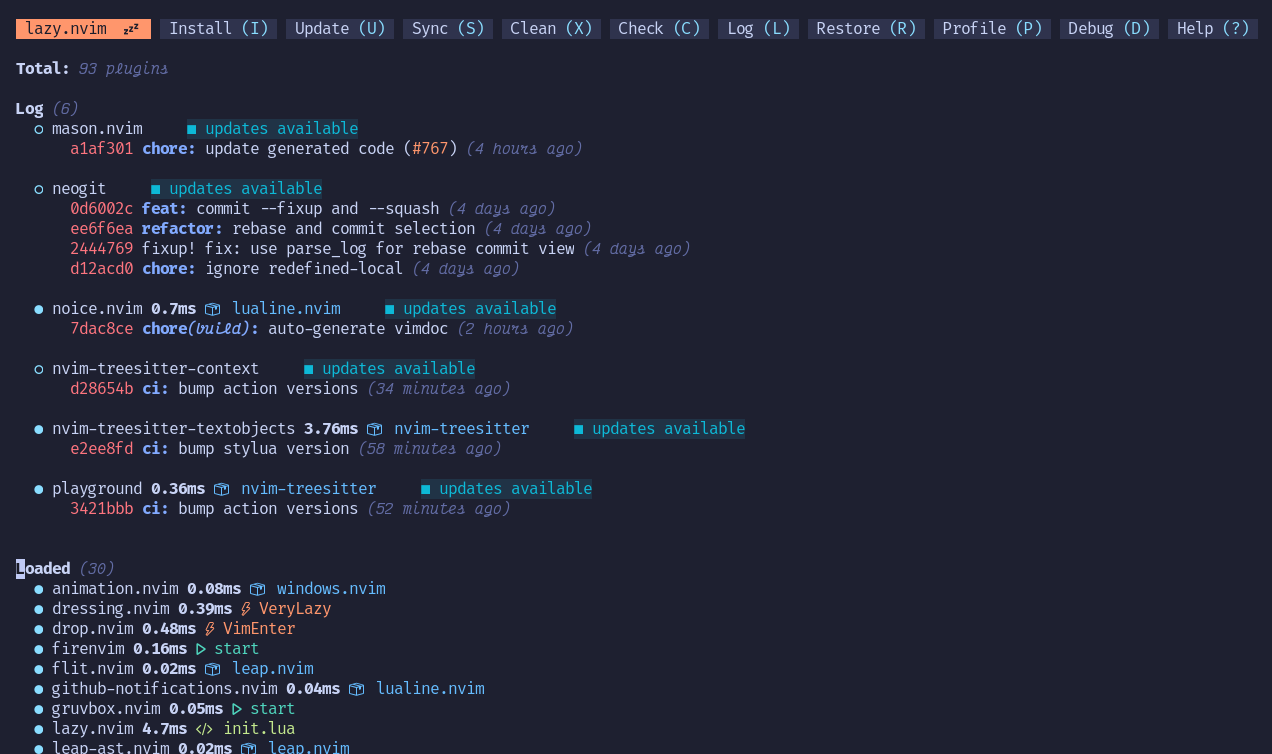
Breakages are rare though especially if you use a plugin manager that shows you commits from your current versions of plugins (e.g. lazy.nvim [1]) so that you can see if you need to update anything.
IMO, not a big deal if you have fun while doing so. I still have to finish elden ring and have already played for 105 hours. 50 hours for Vimvarna are nothing and a time well invested :D
With extensive use of plugins and configuration (especially LSP servers) you can get very close to an IDE experience, and many people including me use it to navigate commercial codebases just fine.
It depends a bit on what language you use, but people who claim (neo)vim is a bad IDE are IMO wrong.
There's a Vim keybinding plugin for Jetbrains products which I can highly recommend. I fully agree -- even as a Vim aficionado the productivity of these big IDEs is impressive. Without Vim keybindings I'd have a harder time justifying it though.
I don't know why, but vim never worked for me. I tried several times to learn it, but I always forgot the shortcuts... maybe the reason is that I used it only a few times per week, to change crontab or some config file on server.
I've been using vim forever. I'm fluent in editing files. But what never clicked for me is working with several buffers, making lookups across files, using ctags/lsp and so on.
The right setting for me is Vim within an IDE (nowadays VSCode) but I've found it too complicated to try to turn it into an IDE. I find it appealing to be able to do all your work within tmux/vim, and I know a lot of great coders work that way but it's been too much hassle for me.
I also wonder if Vim is a productivity gain at all. I like to be able to navigate/edit a file without taking off my hands from the home row, and also quickly edit a file when I'm in the terminal. But not sure it really makes that much of a difference when you know your VSCode/MacOS shortcuts, and I suppose that with proper configuration, you can also edit file remotely with VSCode and restrict the need for edition within a terminal.
> I also wonder if Vim is a productivity gain at all.
The big productivity gain for me doesn't come from faster editing due to the shortcuts, per se, but from the golden combo of modal editing and macros. Due to how you treat similar looking text in vim, macros are much more powerful than something like multi-line-cursors, which break down when you want to, for instance, delete the first part of 5 pascalCased variables with different lengths. Luckily, iirc, the vim integration in VSCode supports macros, so people who want to keep working in VSCode because of the excellent ecosystem can still have the best of both worlds.
How would you achieve your example with macros? My inclination would be to do this with regex replace and I can't think how I'd do it with macros. I guess there's some functionality I'm missing? Jump-to-first-upper-case-character?
To possibly answer your question, think about conveniences that every editor gives you: Editing per (UFT8) character, instead of code points, or bytes or even bits. Would that make you less efficient? I'm sure it would.
Conversely, saying "delete in parens" instead of "move forward 5, delete back 10" is also a real gain.
That being said, use what you have. With editing, and navigating the same file, Vim or it's emulations are almost always better, but most editors offer great cross-file features you should also use, like the "shift shift" in Intellij IDEs, or "ctrl-p" in vscode.
I'm not sure if it's much of a productivity gain, but the way I have it set up it is really easy to navigate quickly and precisely through buffers, folds, characters, etc. And it always works once I've installed my config files without any further messing around.
There are probably people who are very effective in vscode and the likes. But my patience is tested anytime I'm helping someone or pair programming and I have to watch them navigate the code and make their edits.
In my head all I can think of is all the ways it could be done faster in vim, so it's absolutely a productivity gain, even if it's just a plugin for vscode.
While I get what you're trying to say there are benefits to modal editing that learning all the keybindings in X can't replicate. It's difficult to explain and has to be experienced to fully understand.
As a quick example what are the vscode equivalents of I and A to enter insert mode in the beginning or end of a line? These small things quickly add up.
These days if someone using VS Code asks me how they could be faster, I would be much more inclined to give them some tips that work in VS Code than I would be to encourage them to learn Vim or install a Vim extension.
Ctrl-a and Ctrl-e do what you say in VS Code (same amount of keypresses as “I” and “A”, or fewer if you're in insert mode in Vim, and you never need think what mode you're in).
Ctrl-w gives you visual selection of the word under the cursor. Repeat to extend the selection (similar to nvim-treesitter's init_selection and node_incremental, but you don't have to set up treesitter and bind shortcuts or learn how to use visual mode).
I use Neovim and learned to use VS Code without Vim extensions (to help/teach others, and out of professional curiosity!).
Editor “X” absolutely can replicate features from Vim well enough in a lot of cases for the differences not to matter too much, because editor X also does some things better or faster than Vim. Plus we can fill in many gaps that really bother us with extensions. For example, this extension for VS Code lets you switch the cursor from the start to the end of a selection similar to 'o' in visual mode in Vim: https://marketplace.visualstudio.com/items?itemName=rioj7.se....
What _does_ seem to be true is that people who use editor “X” are sometimes less vulnerable to spending their free time learning the features and shortcuts of their editor that would make them just a little bit faster. Vim/Emacs users tend to do that because for us text manipulation and editor hacking are a weird kind of hobby.
But I pair with a lot of senior devs who are _very_ fast with VS Code/IntelliJ these days without Vim extensions. I have also spent much less time making VS Code completely keyboard-driven than I have customising my Neovim config to achieve largely the same abilities (only with Neovim I also lack a lot of healthy things like screenreader support). In VS Code I just needed:
Yeah, I did a search and realized it was the emacs bindings but didn't bother editing my comment as most people I've worked with don't know them or even stop to consider if it's possible. A better example would be o/O, c3w, ci) and so on. Even holding Ctrl+[Arrow keys/backspace/delete] to move word by word is rare to see even if supported everywhere.
Of course (and I mentioned it in my first comment) there are people fluent in vscode but it's far from the norm, and doesn't have to be. As you say for vim users it's a hobby or even lifestyle.
But this thread started with questioning if "vim is a productivity gain at all", and I'm confident it is. I use it everywhere from window manager to browsers, and where it isn't natively supported by plugins/extensions I add my own keybindings to get at least movements and scroll.
It was the same for me, for a long time. I've just used vim for commit messages since I was to lazy to change $EDITOR. Then, I can't even remember why exactly, I've taken a few weeks to actually learn the basics. The first few months were a little awkward, since I wasn't as efficient as I was in Sublime Text (which I've used at the time), but I also started to miss some vim keybindings in other editors. After a while, everything clicked and now I have vim keybindings in almost every program where it's even remotely possible. (Shoutout to tridactyl[1]). I think the most important part is to slog through a couple of longer coding sessions, like you said. (Although vimtutor is a good start, as well, and a colleague of mine got started using vim adventures[2])
Vim didn’t click for the longest time until I deleted VSCode and used it for everything. Much like with many other concepts/skills, throwing myself in the deep end worked best.
The problem with every fake vim plugin is that the underlying editor does not implement tabs the way vim does.
Combine that with the fact that all the UI elements are not vim-ified. In vim, since everything is a pane and a buffer, you just think "I want to select the panel to the left". Regardless of if it's a plugin view or a file or whatever.
In vim emulator's, that's never the case. It's really not the same, but better than nothing. The vscode plugin and the IntelliJ one are both pretty good compared to previous ones that I tried. But the IDEs are just incompatible with the vim ideology, in my opinion.
As someone who always wanted to try Vim out, I thought the Vim keybindings plug-in was a total game changer. I only use it for moving around in and manipulating the text - because that’s all it can do - and it’s awesome. Genuine life change.
Just a little counterpoint basically - I don’t think you need Vim’s entire editor model to get a lot of value out of it!
I'm sure it is! But I got used to everything following vim logic, so when I use an IDE that doesn't, I miss it/get annoyed.
My comment wasn't meant to dissuade anyone from trying the vim plugins. I was just trying to explain why someone would consider the vim emulation plugins not as good as the real thing.
I also seem to run into performance problems using IDEs (even on recent, high end hardware) while vim remains fast.
If nothing else, the performance characteristics of vim are predictable (to me, after all these years) and there are various ways to work around any problems that occur (disabling plug-ins, etc).
I'm not sure that's the problem. I think it's more likely one of several, but I'm not sure tabs are all that useful a feature in vim — vim is all about buffers.
Not once in the past eight years have I had to use tabs for something. The buffer list, yes. The argument list, yes. Tabs, no.
This guy here [0] articulates my thoughts about tabs perfectly.
If all you care about is buffers, what do you miss about them in vscode or IntelliJ? Their idea of buffers is the same as vim, as far as I can tell.
Or is the problem that the IDE functionality is not implemented as buffers? So you can't use your normal keys in non-text places? That was what I was referring in the second part of the comment.
If that guy articulates your thoughts perfectly, then I think neither he nor you know how to use the argument list (or, buffers for that matter) in vim.
The workflow he is describing works with :bufdo, :argdo, :bn, :n, etc.
He is also not describing what is special about tabs. Tabs in vim are groups of windows.
I’m not sure if you were asking me, but no, buffers are not the reason why I exclusively use vim.
> If that guy articulates your thoughts perfectly, then I think neither he nor you know how to use the argument list (or, buffers for that matter) in vim.
> The workflow he is describing works with :bufdo, :argdo, :bn, :n, etc.
It's different because you are losing context. It's not about finding the right buffer, I understand buffers, I have no problem switching between them and finding them. It's about organizing windows in a way that makes sense and then quickly switching between them.
> He is also not describing what is special about tabs. Tabs in vim are groups of windows.
Exactly! And no other editor implements it that way. It's about context switching quickly. I setup my tabs per context and then I can quickly switch back and forth between them, and have all my windows like I left them.
No other editor does it like that (maybe emacs?), because it does not have the concept of vim tabs. Other editors use "tab" to mean "vim window". I'm constantly wasting time recreating window layouts in other editors depending on what I'm working on.
> I’m not sure if you were asking me, but no, buffers are not the reason why I exclusively use vim.
I'm asking what is missing from the IntelliJ vim plugin when it comes to buffers. The concept of buffers is not unique, most modern IDEs implement them the same way. It's why I'm surprised that you mention that buffers are the killer feature of vim, since I don't see anything unique about them compared to other editors.
> It's why I'm surprised that you mention that buffers are the killer feature of vim, since I don't see anything unique about them compared to other editors.
I'm sorry, I think we have our wires crossed :)
I didn't say that buffers are the killer feature of vim — quite the opposite.
I was replying to the opening sentence of your comment, in which you said:
> The problem with every fake vim plugin is that the underlying editor does not implement tabs the way vim does.
My argument is that problems with vim-like plugins in IDEs like VSC run deeper than just the one you pointed out, especially given — in my opinion — neither tabs nor buffers nor windows are the killer feature of vim. But I can see how my comment can be misinterpreted given I said "vim is all about buffers", which in hindsight I think I worded poorly.
No vim emulator is "good enough" if you actually know vim, although jetbrains is probably the closest due to the configurability of it's plugin.
there are almost always quirks, but the biggest issue tends to be when bridging the gap between vim and the GUI itself, particularly around the modality of vim vs graphical autocomplete.
If you're less experienced as a vim user these emulators are probably perfectly fine, but as someone who has been using vim for something like 20+ years, they _always_ feel just off enough that I either just go back to vim or edit the way the editor originally intended.
> I tried several times to learn it, but I always forgot the shortcuts...
If you keep at it you will develop the muscle memory. I am not an expert in Vim, but I use it whenever I want to write some code. Once I was given a coding problem to solve. The interviewer gave his laptop to me with part of the program implement and I had to complete the program. The problem was the C++ code was written in Visual Studio on Windows and I had not used that setup for a long time. So it was frustrating for me and amusing to the interviewer to see when I use to press Vim keystrokes while writing the code in VS :)
> So it was frustrating for me and amusing to the interviewer to see when I use to press Vim keystrokes while writing the code in VS
And this is why I have never been comfortable with vim or the idea learning it on that level. Why would I spend time muscle memorizing a program that conflicts so much against all other editing software and related paradigms? The skills do not scale enough to make it worth the effort imo. Sure your vim powers skyrocket but any other interface where you have to type becomes a nightmare to work with effectively.
Are the advantages of working really really well with one tool worth the effort when you lose productivity in every other tool (99.9% of them) out there? Maybe if you can live constantly in vim but how many of us truly only edit text files during our day to day?
> Why would I spend time muscle memorizing a program that conflicts so much against all other editing software and related paradigms?
Because no other editor is oriented to muscle-memorizing.
> any other interface where you have to type becomes a nightmare to work with effectively.
Something tells me that you are talking about some interfaces with mouse. It's really a nightmare for mine inner vimmer to get my hands out of keyboard in any other editing interface or even to look at keyboard for searching those Alt-Ctrl-Shift chords.
Learning vim has actually made it easier for me to use other IDEs and editors. Most of them have plugins that provide vim keybindigs for editing.
Many other programs loosely follow vim bindings. For example if you enable hotkeys in GMail webclient you can use j and k keys to move between emails, press / to search just like in vim.
In the comment you replied to the author was in an interview situation so they didn't have time to install any plugins.
Yeah that's got it reversed. Vim is overkill for editing configuration files. You see people use vim for configuration files because it's there and they already know how to use it.
If you really want to ease into it then simply enable the (neo) vim plugin in vscode, it's pretty good. You'll miss some big features but you'll have all the bread and butter features. Only risk is that you'll get used to some vscode features as well.
I was deep into the vim rabbit-hole for about a year and a half. Read all the guides, got all the plugins, kitted out my vimrc, all that stuff.
Then one day I realised I was still more productive in sublime with its simple but powerful keybindings than I was in vim. I dropped it and never looked back.
This can be further extended to show plot images if the author decides to render repl outputs in a separate terminal (or a tmux pane) instead of a vim window.
I tried to get into vim countless times but every single time I fail because I already remember intellij keybinds and feel myself helpless without webstorm interface/ide functionality (where everything is included by default and works great with ts/react/solid).
I respect people who can and love to use it, but its simply not for me
The biggest advantage of vim is the movements (key bindings), and there are plugins for many editors for that, e.g. https://github.com/JetBrains/ideavim
If vim is working well for you, I'd say not to chase neovim, unless you feel like trying something new. Moving to nvim is pretty straightforward, but more and more stuff is expected, in a way, to be configured through Lua. That's nice, but it is a change from vimscript which you may not want to make.
Neovim has a lot of momentum going and high quality (and fast/light) plugins, in part due to Lua, but also due to the ever growing integration with modern editing and software development tools like TreeSitter and LSPs.
It's a really nice ecosystem, where you can find pleasant plugin surprises almost every week. I really like it, but if you fancy a more stable and battle-tested system, vim may still be more appealing. Or neovim with just classic vim plugins.
I’ve tried the jupytext approach and had problems when files get out of sync (which inevitably happens). So far, my best Jupyter/vim solutions are either to use a jupyter extension that enables vim bindings or use jupyter in vscode with vim emulation
I just use vim bindings as a jupyter extension. That way we can collaborate via `jupyter lab —collaborative` and have plots rendering directly under cells. You can hack plot visualization into terminals, but at that point something feels off to me.
It sadly doesn't seem like this would support Jupyter Remote, which I've been heavily relying on (through vscode+vim) due to working on my laptop remotely with very limited hardware.
That is correct, but general public understanding is a little different.
Nirvana ( Sanskrit origin ) word to word means : to blow out / disappear / extinguish and so on. But to "achieve Nirvana" or "Nirvana prapti" generally means to reach a state when nothing else matters ( you have disappeared sort of , but very very loosely )




I actually view this as another advantage of Vim; you don’t have to learn new keybindings every time you switch editors.